

Incorporating captioning apps into digital platforms is essential for making content accessible to a broader audience, especially individuals with hearing impairments. Accessibility refers to ensuring that all people, including those with disabilities, can access and engage with information and activities. For example, captions allow individuals with hearing loss to enjoy movies or TV shows by providing text for spoken dialogue, ensuring they can understand the content fully.
When choosing a captioning app, there are several important factors to consider. Platform compatibility is essential, as the app should work seamlessly across devices like Android, iOS, and web platforms. The accuracy of captions is another critical aspect, as some apps offer near-perfect transcription, while others may need manual adjustments. Ease of use and cost also play significant roles in determining the best app for individual needs.
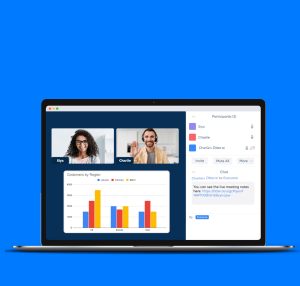
A number of excellent captioning apps are available for both Android and iOS users. InnoCaption, for example, is a free app designed for real-time phone call captioning, funded by the Federal Communications Commission (FCC) for people with hearing impairments. It uses live stenographers and speech recognition technology to transcribe conversations in multiple languages, making it an excellent option for users who need reliable phone captions. Ava, another powerful tool, offers live captioning for group conversations and meetings, with customizable vocabulary for higher accuracy. It also integrates with online platforms like Zoom and Google Meet.
Other notable captioning apps include CaptionMate, which is free for those with hearing loss and transcribes phone calls in real time, and Rogervoice, which offers both phone call transcription and text-to-speech features. Olelo Captioned Calls is another free app known for its accuracy in real-time transcriptions, even for emergency calls. For content creators, MixCaptions is a great app that transcribes video content into captions, making videos more accessible to a wider audience.
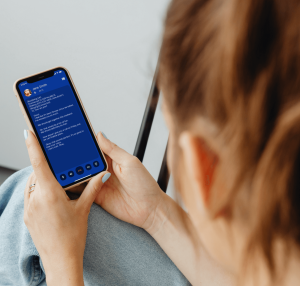
Otter, an AI-powered app, is perfect for transcribing meetings, lectures, and webinars, providing real-time captions and summaries. It integrates with popular platforms like Zoom and Microsoft Teams. Lastly, Hearing Helper is an iOS-exclusive app that leverages Siri’s technology to transcribe conversations, making it ideal for the deaf and ESL communities. Captioning apps like these have revolutionized communication, ensuring accessibility for individuals with hearing impairments while improving the overall experience for all users.

